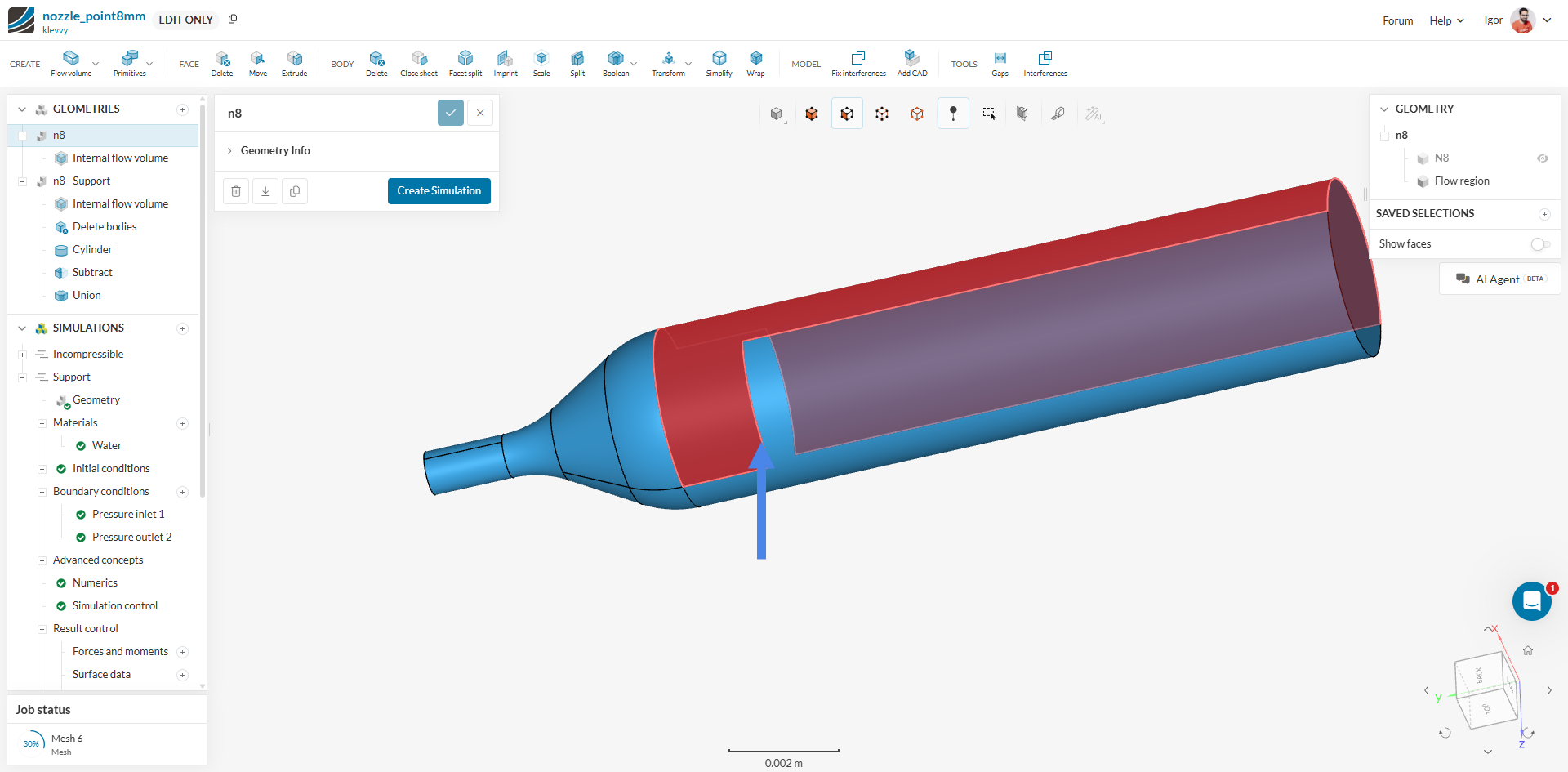
My tree has all green lights but will not mesh the volume. I can’s solve the problem. IS someone out there in the void able to fix and explain in detail what I did wrong please? Project: Nozzle_point8mm
Thanks!
My tree has all green lights but will not mesh the volume. I can’s solve the problem. IS someone out there in the void able to fix and explain in detail what I did wrong please? Project: Nozzle_point8mm
Thanks!
Hi @klevvy, thanks for posting!
Please always share your project URL here for the users to have a look. I assume you are referring to this project → in this case, I don’t see any failed meshing operations, so I can’t pinpoint what the issue might be. Here are some general guidelines to solve issues with the mesh:
Cheers
Igor
I have the volume meshed, now the wall boundary has issues. I tried removing surfaces and the same error. Why is something simple having this type of difficulties? I copied the error I am getting now. Please help.
Please ensure that all CAD entities are assigned a material or advanced concept. Missing material or advanced concepts were detected for the following entities: N8
Invalid boundary condition: Wall 3 has been assigned to at least one body without a material assignment: N8. Please remove this body from the boundary condition assignment.
Hi @klevvy,
Actually, looking at your project again I noticed I’d overlooked that you were running an Incompressible simulation. In this case, note that Incompressible is a single-region analysis type and only the Flow Region (and just a single one) should be included as a geometry in the setup. Therefore, you should delete the hypothetically solid parts and keep only the flow region.
ok, I have tried again for the 4th time with simple geometry and when applying the material of water, it does not pick up the generated flow volume. I give up. The software just does not work period. I will stick with ansys.
Hi @klevvy,
Thanks for the reply!
As I had mentioned, you should delete the Solid Parts before running Incompressible. By running a mesh operation, it seemed as if you had a CAD fault on the following edge:
I’ve recreated the cylindrical portion using SimScale’s CAD operations and added a fixed version to your project (here). Let me know if that solves the issue.
Cheers,
Igor
Thank you very much in taking the time to view and repair. Now there is a new problem. You removed the deflector surfaces (walls) for the water to bounce off of so now the part is useless unless I am missing something. I guess I do not understand why a simple shape is having problems. Thank you for trying.
The solid parts would not have any sort of effect in this simulation - when the water leaves through the outlet, it goes to an imaginary domain that’s “outside” the simulation. In that sense, with the flow region you have there, the deflector will not make any difference. Please review the following tutorial for a more thorough comprehension of the subject: https://www.simscale.com/docs/tutorials/tutorial-fluid-flow-through-a-valve/
if I am reading this correctly, then SimScale cannot simulate a water nozzle the deflects water and then determine the spray pattern. It was my understanding that you could set the flow volume to zero and the open exit diameter and then select no slip walls for the deflection. I guess this is too complicated for SimScale. Again, thank you for trying. Shame a simple water nozzle cannot be simulated.
Hi there! Thanks for following up
That’s not correct - SimScale can certainly handle such application – although I believe you should go for Multiphase instead of single phase Incompressible if your goal is to have the water “splashing” against the deflector surface.
However, I’d ask you to review the documentation to understand the specific case you’d need to setup, especially what a Flow Region is and how to properly generate it.
Cheers!
Igor